Canguru App
ROLE
Full-Stack Developer
STACK
React Native
STATUS
Live on iOS & Android
Overview
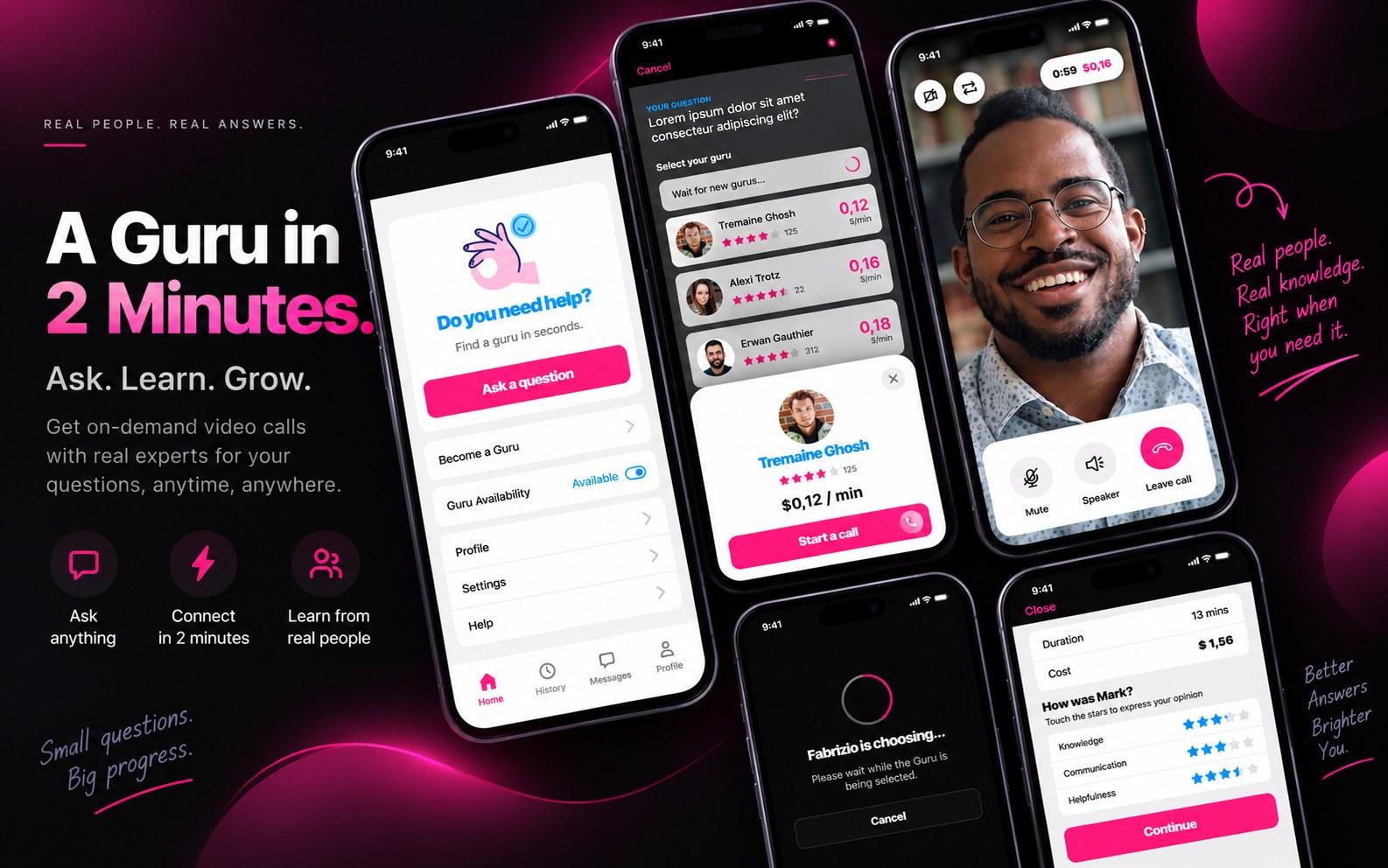
Canguru is a two-sided marketplace app: hosts report a property issue and get matched live with a paid expert ('Guru') over video, while anyone can flip on 'Become a Guru' to answer questions on the supply side. Built end to end in React Native for iOS and Android.
My Contribution
Full-Stack Developer — built the mobile app end to end in React Native for iOS and Android, covering the full host-facing flow from problem reporting through live video call and post-call rating.
Problem
Vacation rental hosts often manage properties remotely. A stuck lock, a dead boiler, or a tripped breaker can turn into a guest emergency with no one nearby who can fix it, and calling out a technician can mean hours of waiting while a stay is disrupted. Hosts needed a way to get expert help immediately, even with guests already in the property.
UX Approach
- Designed a simple three-step reporting flow: describe the problem (with a photo), get matched to a relevant expert, and jump straight into a live video call.
- Structured expert matching around service categories — plumbing, electrical, locks, and appliances — so hosts reach someone who can actually help on the first try.
- Kept the in-call UI to mute, speaker, and leave controls, with elapsed time and running cost always visible, since the person on camera is usually a guest or host following instructions in real time, not a technician.
Engineering Challenges
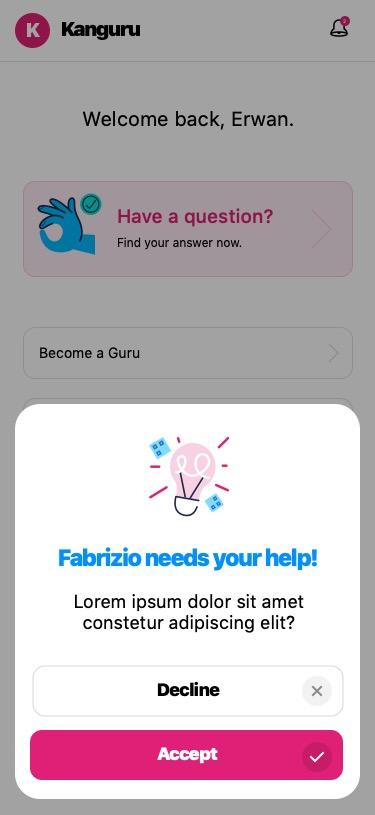
- Real-time matching had to keep both sides informed without feeling stalled: hosts see a live status screen while a match is found, and gurus get a lightweight accept/decline prompt for every incoming question.
- Balancing a two-sided marketplace inside one app — the same home screen has to serve hosts asking for help and gurus opting into supply, without either flow getting in the other's way.
Outcome
Canguru shipped to the App Store and Google Play, giving hosts a way to resolve common property issues in minutes over a call instead of scheduling a site visit — turning a stressful, open-ended wait into a guided fix.
Problems & Solutions
01 — Reporting an Issue
Problem
A host discovers a problem — a jammed lock, a tripped breaker — and has no fast way to describe it or reach someone who can help, especially with a guest already in the property.
Solution
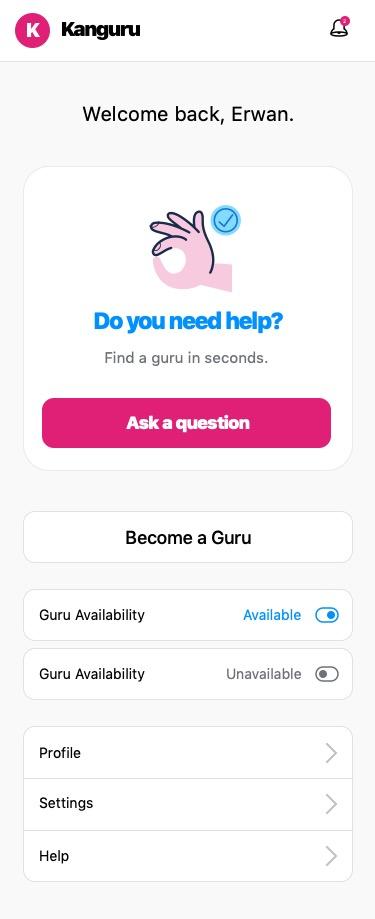
A single "Ask a question" entry point sits front and center on the home screen, putting help two taps away, day or night, instead of a maintenance contact list to dig through.
Home — one tap to ask a question
02 — Matching With a Guru
Problem
Not every available expert is the right fit. Hosts need to see who can actually help, how good they are, and what it costs — before committing to a call.
Solution
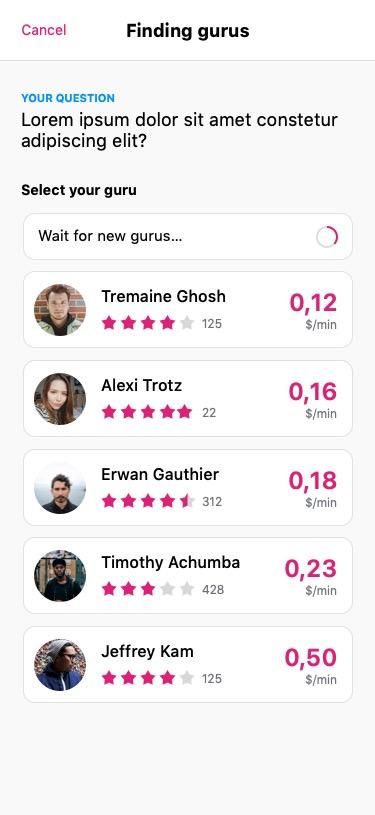
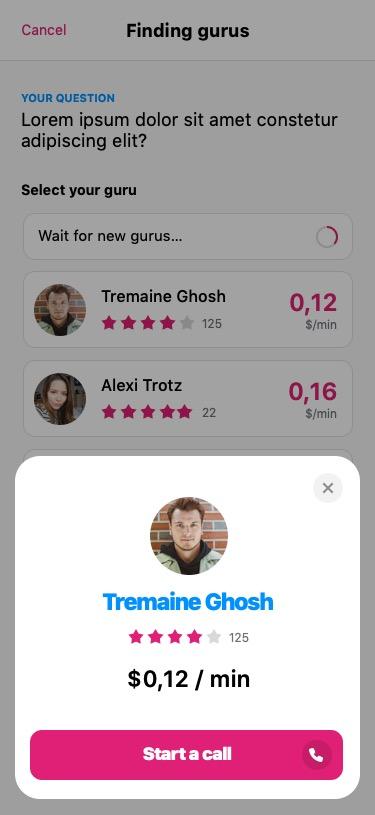
Live matching surfaces available gurus ranked by rating and per-minute rate, with a profile card that shows exactly what the call will cost before it starts.
Finding Gurus — ranked by rating and rate
Guru profile — rate shown before the call starts
03 — Connecting in Real Time
Problem
On the guru side, incoming questions need to be quick to accept or skip. On the host side, waiting for a match shouldn't feel like a dead end.
Solution
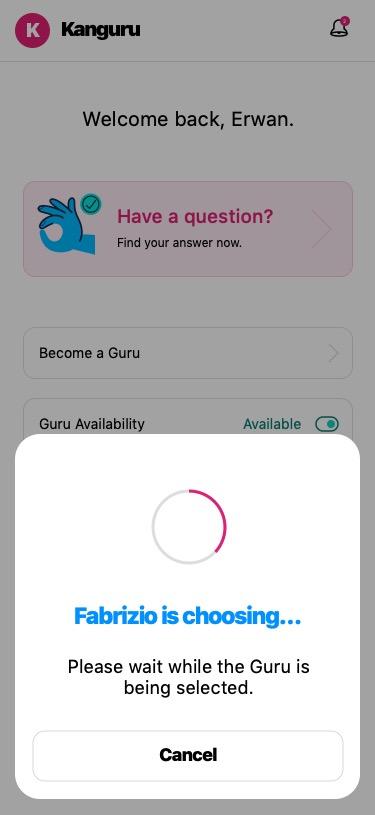
Gurus get a lightweight accept/decline prompt for every question, while hosts see a live status screen so the wait feels active instead of stalled.
Host view — live status while a guru is chosen
Guru view — accept or decline in one tap
04 — Guided, Hands-Off Troubleshooting
Problem
The person on camera is almost always a guest or host, not a technician, so the call UI can't assume technical fluency — and cost needs to stay visible so nothing feels open-ended.
Solution
A focused call screen keeps mute, speaker, and leave controls simple, and always shows elapsed time and running cost, so the person on camera can just point, listen, and follow instructions.
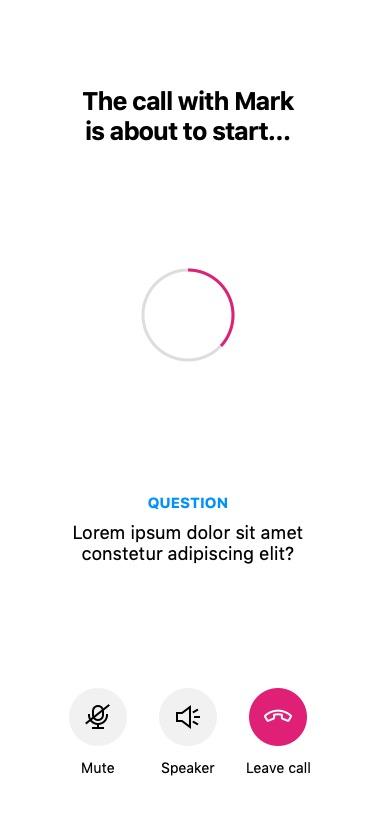
Call connecting — question recap while it starts
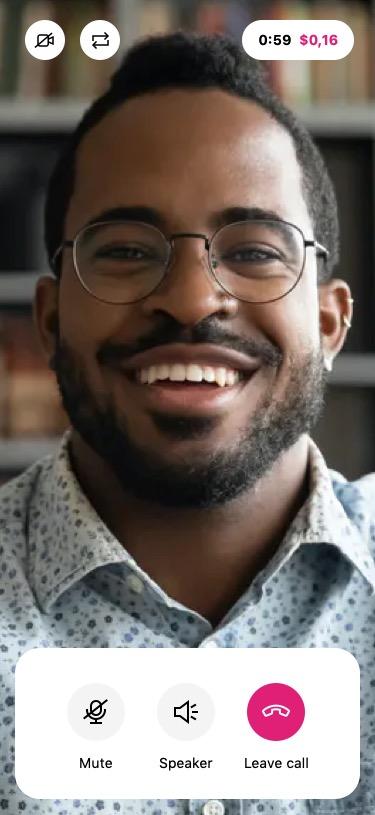
Live call — simple, hands-off controls
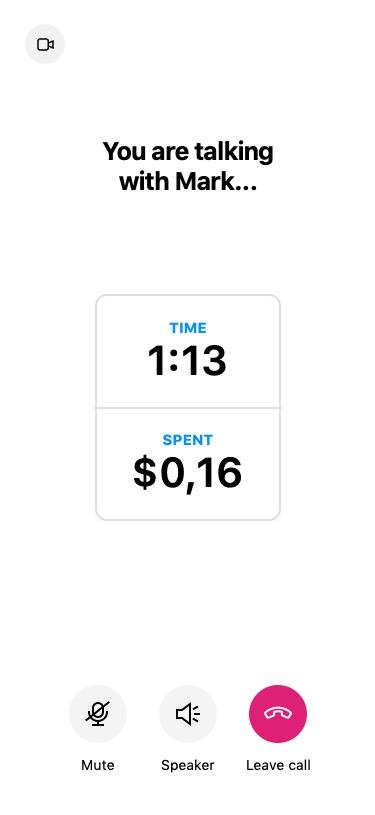
In call — live timer and running cost
05 — Closing the Loop
Problem
Without a record of what happened on a call, hosts have no receipt for the cost, and gurus have no way to build a track record hosts can trust.
Solution
Every call ends with a cost and duration summary plus a multi-criteria rating, feeding directly into the guru's public rating that hosts see the next time they match.
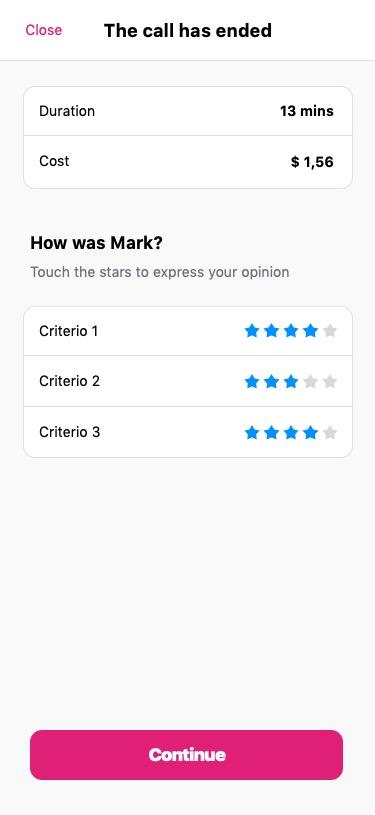
Call summary — cost, duration, and guru rating
06 — A Two-Sided Marketplace
Problem
The app only works if enough gurus are online to answer — supply has to be as easy to opt into as demand is to trigger.
Solution
Anyone can flip on "Become a Guru" from the same home screen, turning their expertise into on-demand income alongside the host-facing side of the app.
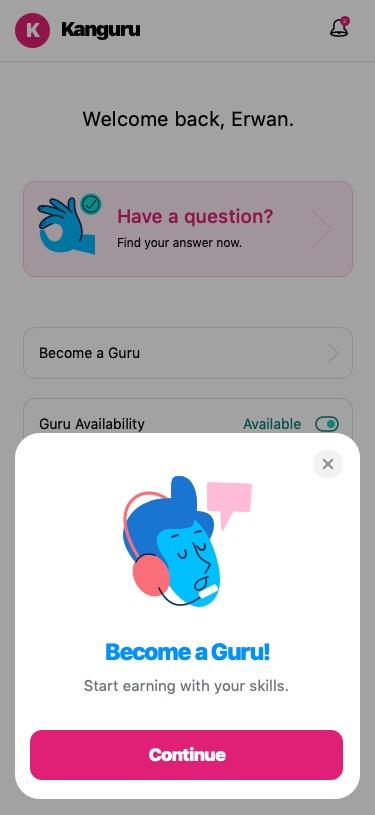
Become a Guru — opt into the supply side