Good Software Is More Than Code
12 MIN READ · BY Mortuz Alam
Table of Contents
- 01. The Idea Is Not the Product
- 02. Start With the Experience
- 03. Model the Problem Before the Interface
- 04. Separate the Game From the Interface
- 05. State Is Everything
- 06. Every Interaction Needs Feedback
- 07. The Happy Path Is Not Enough
- 08. Content Is Part of the Software
- 09. Don't Over-Engineer a Simple Product
- 10. Complexity Has a Cost
- 11. Performance Is Part of the Experience
- 12. Persistence Should Feel Invisible
- 13. Testing Is About Reducing Uncertainty
- 14. Debugging Is Part of Development
- 15. Polish Isn't Separate From Engineering
- 16. Build for the Next Change
- 17. Shipping Changes Everything
- 18. Good Software Should Be Easy to Change
- 19. The Best Architecture Is Often Boring
- 20. What Letterify Taught Me
- Good Software Is a System
- The Part I Enjoy Most
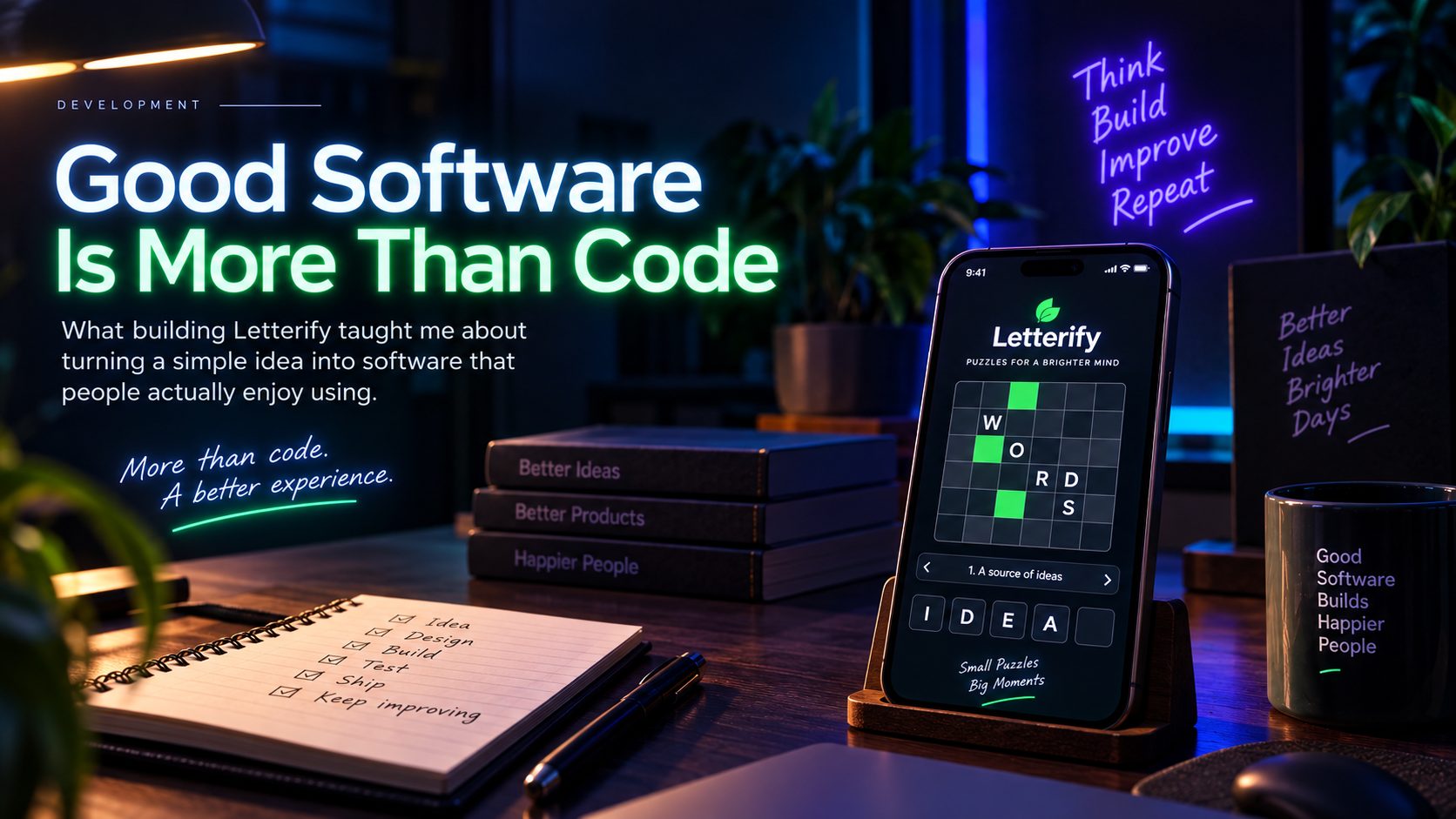 What building Letterify taught me about turning a simple idea into software that people actually enjoy using.
I used to think the hardest part of building software was writing the code.
It is easy to believe that when you're looking at a blank project, deciding which framework to use, designing the database, or trying to solve a particularly annoying bug.
But after building software for a while, I've started to see it differently.
Code is only one part of the job.
A product can have clean code and still be frustrating to use. It can have a beautiful interface and still be unreliable. It can have a perfectly designed architecture and still solve the wrong problem.
Good software sits at the intersection of all of these things:
IDEA
  ↓
PRODUCT
  ↓
USER EXPERIENCE
  ↓
SYSTEM DESIGN
  ↓
CODE
  ↓
TESTING
  ↓
POLISH
  ↓
SHIP
I experienced this particularly while building Letterify, a Crostic-style word puzzle game.
On the surface, Letterify is a simple game.
You solve clues, enter letters, complete words, and eventually solve the puzzle.
The simplicity of the final experience hides quite a lot of decisions underneath it.
And that's exactly what made it interesting to build.
01. The Idea Is Not the Product
The initial idea for Letterify is simple:
Build a Crostic-style word puzzle.
But that isn't really a product specification.
It doesn't tell you:
- How a puzzle is represented
- How clues are structured
- How letters are mapped
- How answers are validated
- What happens when a player makes a mistake
- How progress is saved
- How the game knows a puzzle is complete
- What happens between puzzles
- How new puzzles are delivered
- What the player sees while all of this is happening
The first version of an idea is usually much smaller than the actual product.
That's something I've learned to accept.
You don't discover the entire system before you start building.
You discover it while building.
The important thing is to make those discoveries deliberately instead of accidentally.
02. Start With the Experience
Before thinking about implementation, I needed to think about what Letterify should actually feel like.
A word puzzle is fundamentally an interaction loop:
READ CLUE
   ↓
THINK
   ↓
ENTER LETTER
   ↓
GET FEEDBACK
   ↓
CONTINUE
If that loop feels slow or confusing, the underlying architecture doesn't matter to the player.
They don't care whether the code is elegant. They care whether the puzzle feels good.
That changes the way I approach development.
Instead of starting with:
“What components do I need?”
I start with:
“What does the player need to experience?”
The implementation comes after that.
03. Model the Problem Before the Interface
One of the easiest mistakes to make is designing the UI before understanding the underlying data.
A puzzle might look like a collection of boxes on screen.
But underneath, it is a structured set of relationships.
Conceptually:
PUZZLE
 ├── CLUES
 │    ├── clue
 │    ├── answer
 │    └── position
 │
 ├── GRID
 │    ├── cells
 │    └── mappings
 │
 └── STATE
      ├── progress
      ├── answers
      └── completion
The UI is simply a representation of that model.
That distinction is important.
If the UI becomes the source of truth for everything, the application becomes difficult to reason about.
But if the underlying model is clear, the UI can simply ask:
What is the current state?
and render it.
04. Separate the Game From the Interface
The puzzle engine shouldn't need to know what a button looks like.
It shouldn't care whether the game is running on one screen or another.
It should care about things like:
SELECT CELL
ENTER LETTER
VALIDATE ANSWER
UPDATE PROGRESS
COMPLETE PUZZLE
The interface then translates those operations into something the player can interact with.
That separation gives you a useful boundary:
PLAYER
  ↓
UI
  ↓
GAME LOGIC
  ↓
PUZZLE DATA
When those responsibilities are mixed together, even a small change can become surprisingly expensive.
When they're separated, the system becomes easier to understand — and more importantly, easier to change.
05. State Is Everything
Interactive software is mostly state management.
Letterify is no exception.
At any given moment, the application needs to know things such as:
CURRENT PUZZLE
CURRENT CELL
ENTERED LETTERS
COMPLETED CLUES
INCORRECT INPUT
PUZZLE PROGRESS
COMPLETION STATE
And those values constantly change.
A player taps a cell — the selected cell changes. They enter a letter — the state changes. A clue becomes complete — more state changes. The puzzle is solved — the entire experience transitions into another state.
Thinking about this explicitly makes development much easier.
Instead of thinking:
“What should this button do?”
I can think:
“What state transition does this action cause?”
BEFORE
selectedCell = 12

       ↓ TAP

AFTER
selectedCell = 13
That sounds simple.
But this way of thinking scales surprisingly well.
06. Every Interaction Needs Feedback
A player should never have to wonder whether their input was registered.
Tap, and something happens. Enter a letter, and the interface responds. Complete a word, and the game acknowledges it. Finish the puzzle, and the experience changes.
This can be represented as:
INPUT
  ↓
PROCESS
  ↓
FEEDBACK
  ↓
NEW STATE
Without feedback, the user has uncertainty.
And uncertainty makes software feel slow—even when the actual operation is fast.
This is one of those places where engineering and UX become the same problem.
A technically correct operation that provides poor feedback is still a poor experience.
07. The Happy Path Is Not Enough
It's easy to build the game when everything goes correctly.
The player enters the right answer, the puzzle loads, the data is available, and nothing interrupts the process.
But real software doesn't live on the happy path.
What happens when:
- the player enters something incorrect?
- they leave the game halfway through?
- the application is restarted?
- puzzle data is unavailable?
- a puzzle is malformed?
- the user taps something unexpectedly?
- the player returns after finishing a puzzle?
These aren't unusual situations.
They're part of the product.
A robust application doesn't treat edge cases as optional polish.
It treats them as states the product needs to understand.
08. Content Is Part of the Software
This became especially obvious while thinking about puzzles.
A word puzzle isn't just an application.
It is also content.
That content has structure.
It needs to be:
- valid
- consistent
- complete
- correctly mapped
- compatible with the game engine
A single malformed puzzle can create a problem that looks like a software bug.
So there are really two systems:
PUZZLE ENGINE
      +
PUZZLE CONTENT
Both need to be reliable.
This is a broader lesson I've found useful:
If your application depends on structured content, that content is part of your software system.
Treating it as an afterthought eventually creates problems.
09. Don't Over-Engineer a Simple Product
There is always a temptation to build the architecture for the product you might have one day.
Maybe Letterify will eventually have:
- millions of players
- multiple game modes
- social features
- accounts
- leaderboards
- real-time multiplayer
- elaborate analytics
Maybe.
But building all of that infrastructure before it is needed doesn't make the software better — it makes the software bigger.
There is a difference between designing for change and designing for imaginary requirements.
I prefer the former.
The architecture should give me room to evolve without forcing me to build everything upfront.
CURRENT NEED
     ↓
SIMPLE SOLUTION
     ↓
CLEAR BOUNDARY
     ↓
FUTURE OPTION
That's usually enough.
10. Complexity Has a Cost
Every abstraction introduces another thing someone needs to understand. Every dependency adds another moving part. Every service creates another operational concern. Every layer has a maintenance cost.
That doesn't mean abstractions, dependencies, or layers are bad.
It means they should solve a problem.
I try to ask:
What complexity am I introducing, and what problem does it solve?
If I can't answer that clearly, I probably don't need the complexity yet.
Simple software isn't necessarily less sophisticated.
Sometimes knowing what not to build is the more sophisticated decision.
11. Performance Is Part of the Experience
A puzzle game should feel immediate.
The player shouldn't be thinking about the application while playing it.
They should be thinking about the puzzle.
That means things such as:
TAP
 ↓
IMMEDIATE RESPONSE

NAVIGATE
 ↓
IMMEDIATE TRANSITION

ENTER
 ↓
IMMEDIATE FEEDBACK
Performance isn't just a technical metric — it's something the user experiences directly.
A 200-millisecond delay in a developer's profiling tool might be a number.
To a user performing the same action hundreds of times, it becomes a feeling.
Good performance makes software disappear.
12. Persistence Should Feel Invisible
A good application remembers things without making the user think about storage.
For a game, progress is particularly important.
If a player spends time solving a puzzle and comes back later, they shouldn't have to wonder:
“Did the app save my progress?”
Ideally, they don't think about persistence at all.
The experience should simply continue where they left off.
That's one of my favorite characteristics of good software:
The complexity is visible to the developer but invisible to the user.
13. Testing Is About Reducing Uncertainty
Testing isn't just about checking whether a function returns the expected value.
It's about reducing uncertainty around the system.
For a puzzle game, that means testing things like:
VALID INPUT
INVALID INPUT
EMPTY INPUT
PARTIAL PROGRESS
COMPLETED WORD
COMPLETED PUZZLE
RESTART
RESTORE
EDGE CASE
The most valuable tests often aren't testing the obvious path.
They're testing the boundaries.
What happens between states?
What happens when assumptions aren't true?
That's where many real bugs live.
14. Debugging Is Part of Development
No matter how carefully you build something, bugs will appear.
The important part is how easy they are to understand.
When something goes wrong, I want to be able to answer:
WHAT HAPPENED?
     ↓
WHERE?
     ↓
WHY?
     ↓
WHAT STATE WAS THE SYSTEM IN?
     ↓
HOW DO I REPRODUCE IT?
That's why clear state, predictable architecture, and useful logging matter.
A system that's easy to debug is a system that's easier to maintain.
15. Polish Isn't Separate From Engineering
Once the underlying system works, there's another layer.
The small things — how quickly a transition happens, how a selected cell responds, how a completed answer feels, how the interface communicates progress, how the screen behaves when moving between puzzles.
These details might seem like decoration. They're not. They shape the perceived quality of the product.
There's a point where engineering stops being about:
“Does it work?”
and starts being about:
“Does it feel right?”
Good software needs both.
16. Build for the Next Change
Software rarely stays exactly as it was when you first shipped it.
Requirements change, ideas change, users reveal things you didn't anticipate, and you discover better approaches.
The next version of Letterify may need something the first version never required.
That's normal.
The goal isn't to predict every future requirement.
It's to avoid making future change unnecessarily painful.
This is why I value clear boundaries more than elaborate architecture.
If I can replace one piece without rewriting everything around it, the system is doing its job.
17. Shipping Changes Everything
There's a big difference between software that works on your machine and software that people actually use.
Once something is shipped, reality starts testing it.
Users behave differently than expected. Devices behave differently. Data exposes assumptions. Performance becomes measurable. Small bugs suddenly matter.
Shipping is therefore not the final step.
It's the beginning of another development cycle.
BUILD
 ↓
SHIP
 ↓
OBSERVE
 ↓
LEARN
 ↓
CHANGE
 ↓
SHIP AGAIN
The first version doesn't need to be perfect.
It needs to be good enough to teach you something.
18. Good Software Should Be Easy to Change
This might be the biggest lesson I've taken away from building software.
The question isn't:
“Can I build this?”
You probably can.
The more useful question is:
“How difficult will this be to change later?”
A good system makes change local.
A bad system makes change contagious.
You modify one thing and suddenly five unrelated parts break.
That's when development becomes frustrating.
Good architecture reduces that blast radius.
SMALL CHANGE
     ↓
SMALL IMPACT
     ↓
PREDICTABLE RESULT
That's a much better goal than simply having a large or sophisticated architecture.
19. The Best Architecture Is Often Boring
Architecture doesn't need to look impressive.
Nobody using Letterify cares whether the underlying system has ten layers or two.
They care that:
- the puzzle loads
- the game responds
- their progress is preserved
- mistakes behave sensibly
- the experience feels smooth
That's it.
Good architecture often disappears — it quietly does its job.
It gives developers a predictable place to make changes without forcing users to think about how the system works.
That's why I don't believe good engineering is about using the most advanced technology available.
It's about using the right amount of technology for the problem.
20. What Letterify Taught Me
Building Letterify reinforced something I've gradually learned from development:
The code is rarely the hardest part.
The harder questions are:
What should the product actually do?
How should the user experience it?
What should happen when things go wrong?
How should the data be represented?
Where should responsibilities live?
What should happen when the product changes?
How do we know it works?
How do we make it easier to change?
Those questions exist before and after the code.
The code connects the answers together.
Good Software Is a System
When I think about software now, I don't think of it as a collection of files.
I think about the system around them.
             USER
               ↓
            PRODUCT
               ↓
          EXPERIENCE
               ↓
          APPLICATION
               ↓
           SERVICES
               ↓
             DATA
               ↓
        INFRASTRUCTURE
Every layer affects the others.
A database decision can affect UX. An architectural decision can affect development speed. A UI decision can affect application state. A performance problem can become a product problem. A content problem can become a software problem.
Everything is connected.
That's what makes software development interesting.
The Part I Enjoy Most
I like writing code.
But the thing that keeps me interested in development isn't the syntax.
It's the process of turning something vague into something real.
An idea becomes a model. The model becomes an architecture. The architecture becomes code. The code becomes an application. The application becomes something another person can use.
And then that person tells you, directly or indirectly, where you got it wrong.
So you improve it.
IDEA
 ↓
UNDERSTAND
 ↓
DESIGN
 ↓
ARCHITECT
 ↓
BUILD
 ↓
TEST
 ↓
SHIP
 ↓
OBSERVE
 ↓
ITERATE
That's software development to me.
Not just writing code.
Building something useful, making it reliable, and leaving it in a better state than I found it.
Good software is more than code.
It's a system designed to keep creating value after the code has been written.
Mortuz Alam
Software engineer & product builder. More about me ->